
Install on Android
Certio is on Google Play. It's free to download.
Get it on Google Play- Tap Get it on Google Play above. It opens Certio in Google Play.
- Tap Install.
- Open Certio and sign in with the same email and password you signed up with.
Open Certio straight in this browser — same login, same certificates, works on your phone now and on the laptop later.
No download, no install. Free plan with no card, or paid plans from £4.99 a month, charged when you sign up.
Or put it on your phone · iPhone and Android steps
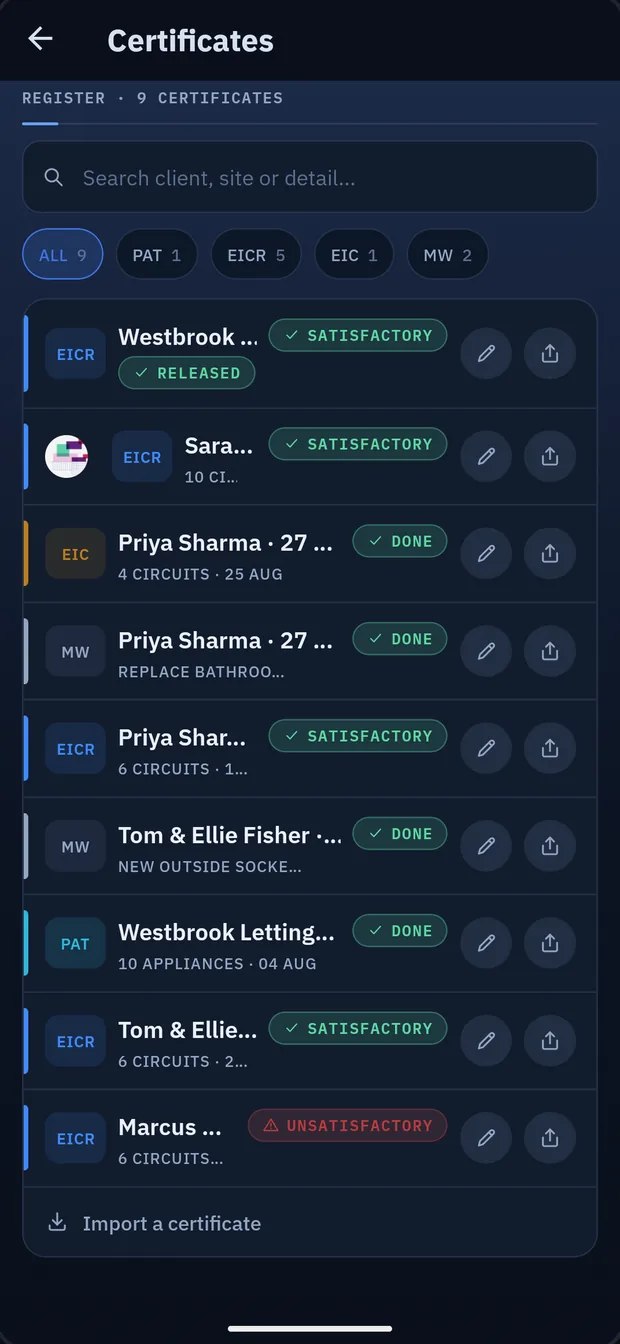
Real Certio screen · demo account shown
Same email and password on Android, iPhone and in the browser — same certificates, same account.


Certio · the same account on iPhone and Android · demo account shown
Certio is on Google Play. It's free to download.
Get it on Google PlayCertio Certs is on the App Store. It's free to download.

Sign in on Android, iPhone or in the browser with the same email and password. Start a certificate on site and finish it at the desk — a full web portal, not a cut-down viewer.
Certificates, jobs, photos, quotes and invoices live on your phone. Everything syncs the moment you're back on signal, and the AI features that need the internet queue up and run when you reconnect.
Backups are automatic and versioned. Drop the phone in a puddle and your certificates, jobs and money records come back on the next handset.
Type up long jobs on a keyboard and they're on the phone when you're back in the van.
Stuck? Reply to your welcome email and we'll sort it, or email support@certio.uk.